Logo for ParkingUsher
HomeKeynoteAboutBlogContact Us
Locations
Accessibility Map
Vancouver
Toronto
Seattle
San Francisco
Montréal
Boston
New York
Get ParkUsher
EN
FR
Get ParkUsher
NEW
PU Insight, Navigation, CarPlay & Android Auto, and Delivery Mode are here.
Watch the keynote

Explore with Confidence in
San FranciscoNew YorkMontréalTorontoSeattleBostonVancouver

Know where to park without wasting your time.

Download on the App StoreGet it on Google Play
★★★★★
4.9 from 550+ reviews
·
Thousands of drivers every day
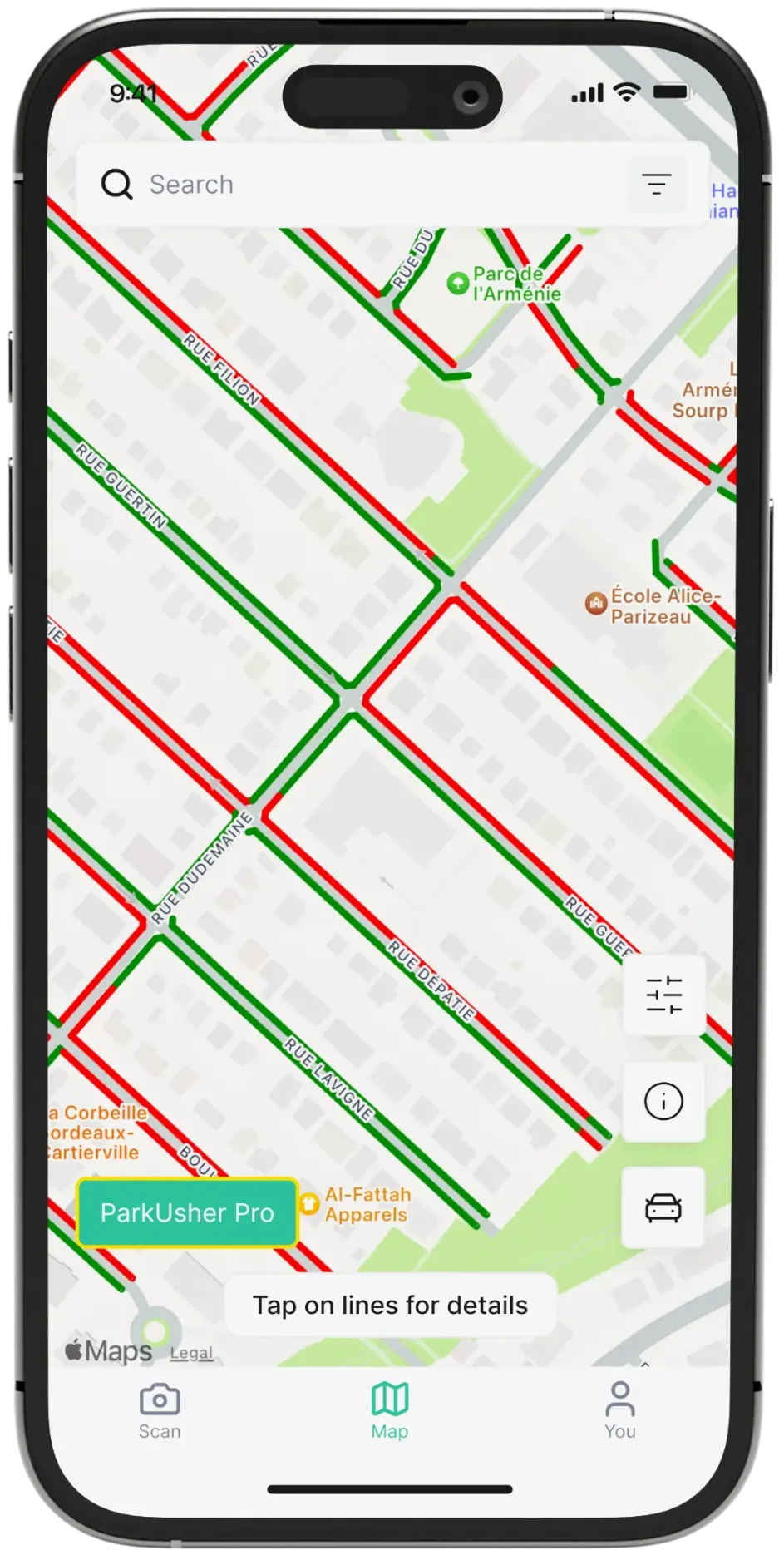
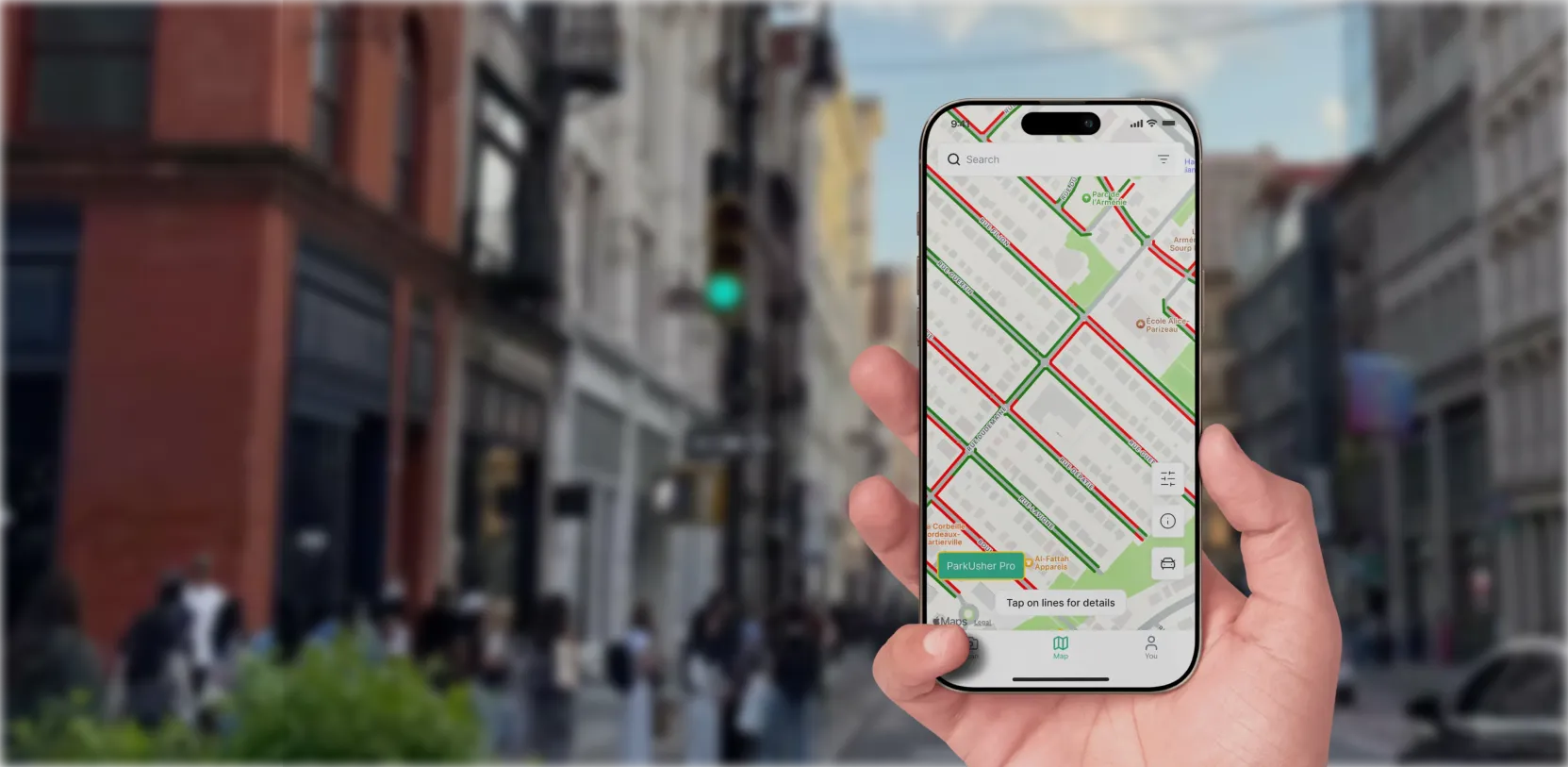
Red lines show where you can’t park
Green lines show where you can park
Red lines show where
you can’t park
Green lines show where
you can park
PU Insight
Before you leave
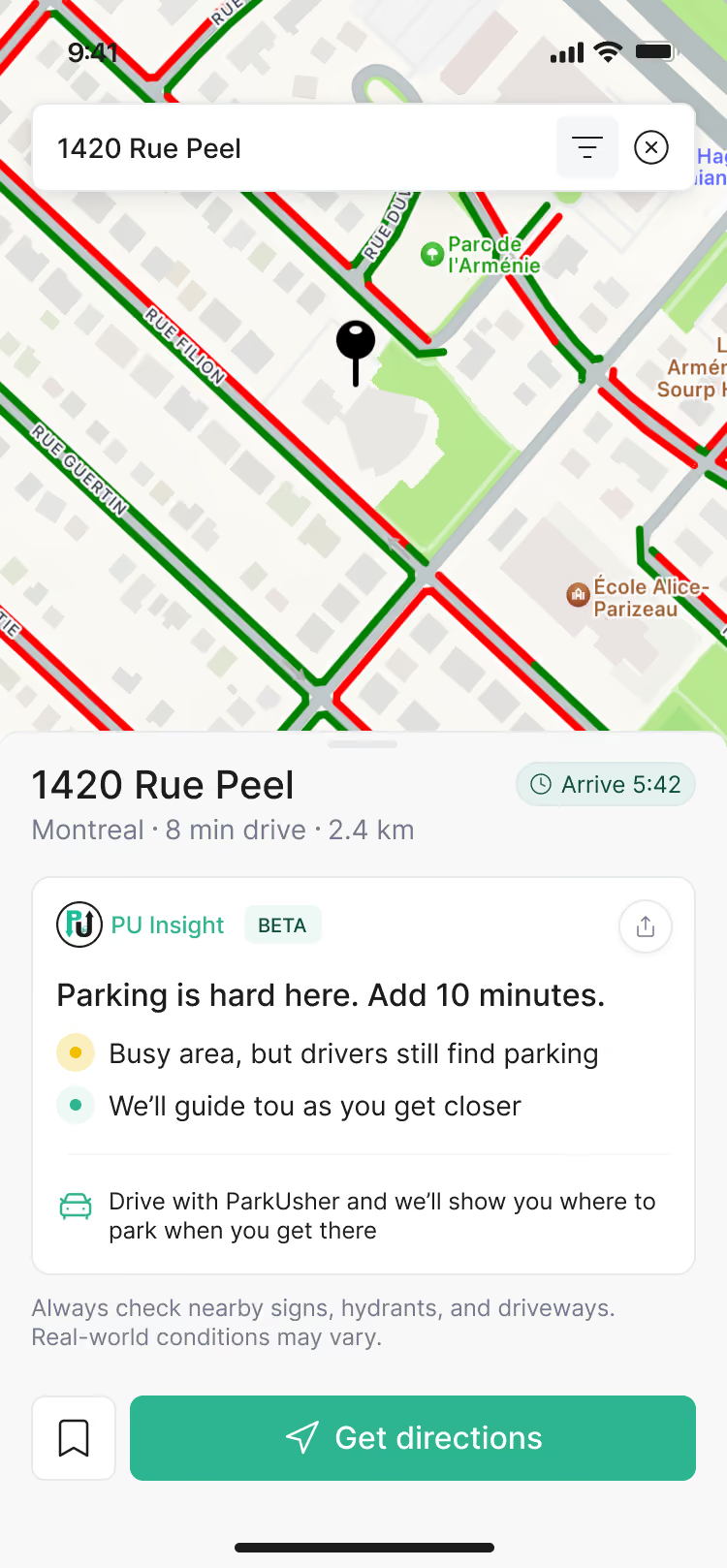
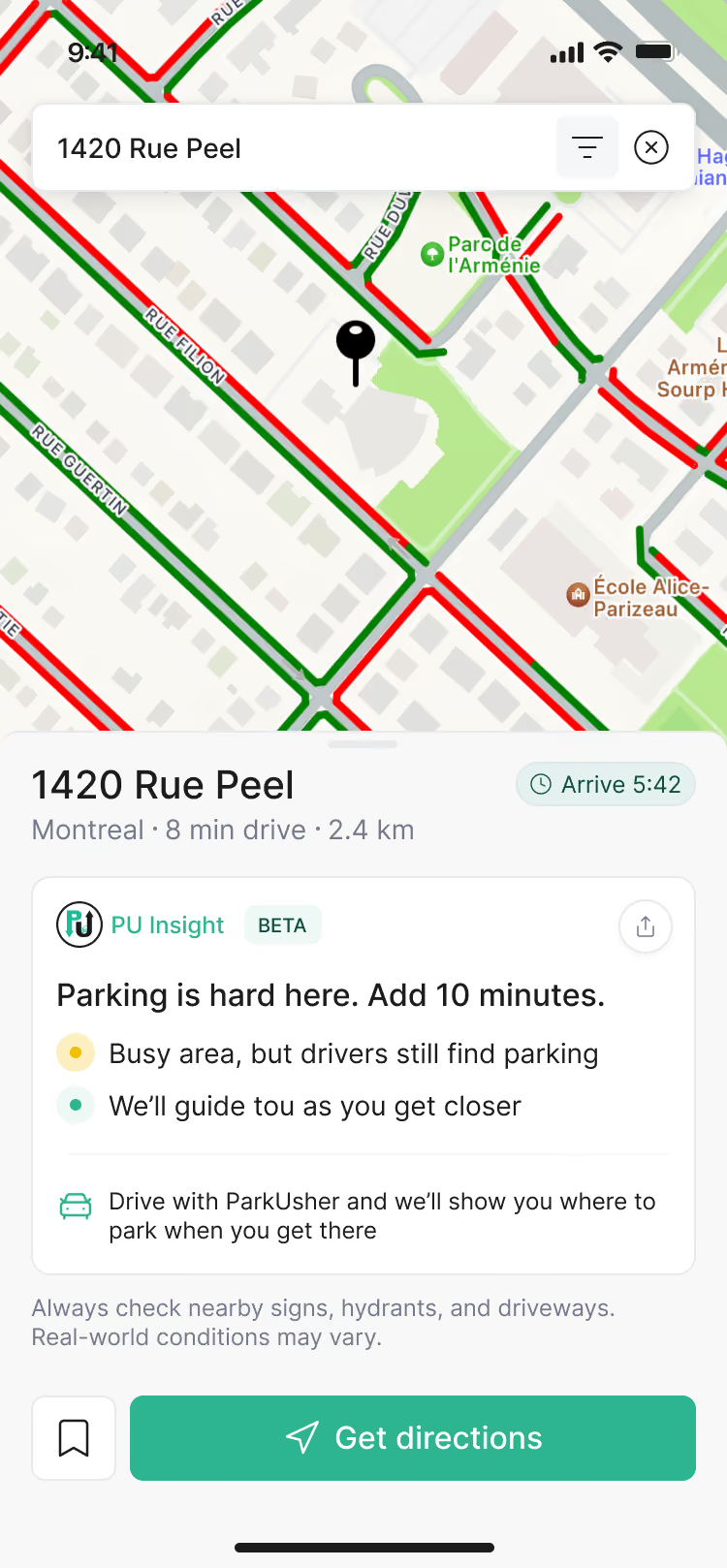
Parking is hard here. Add 10 minutes.
Busy area, but drivers still find parking
While you drive
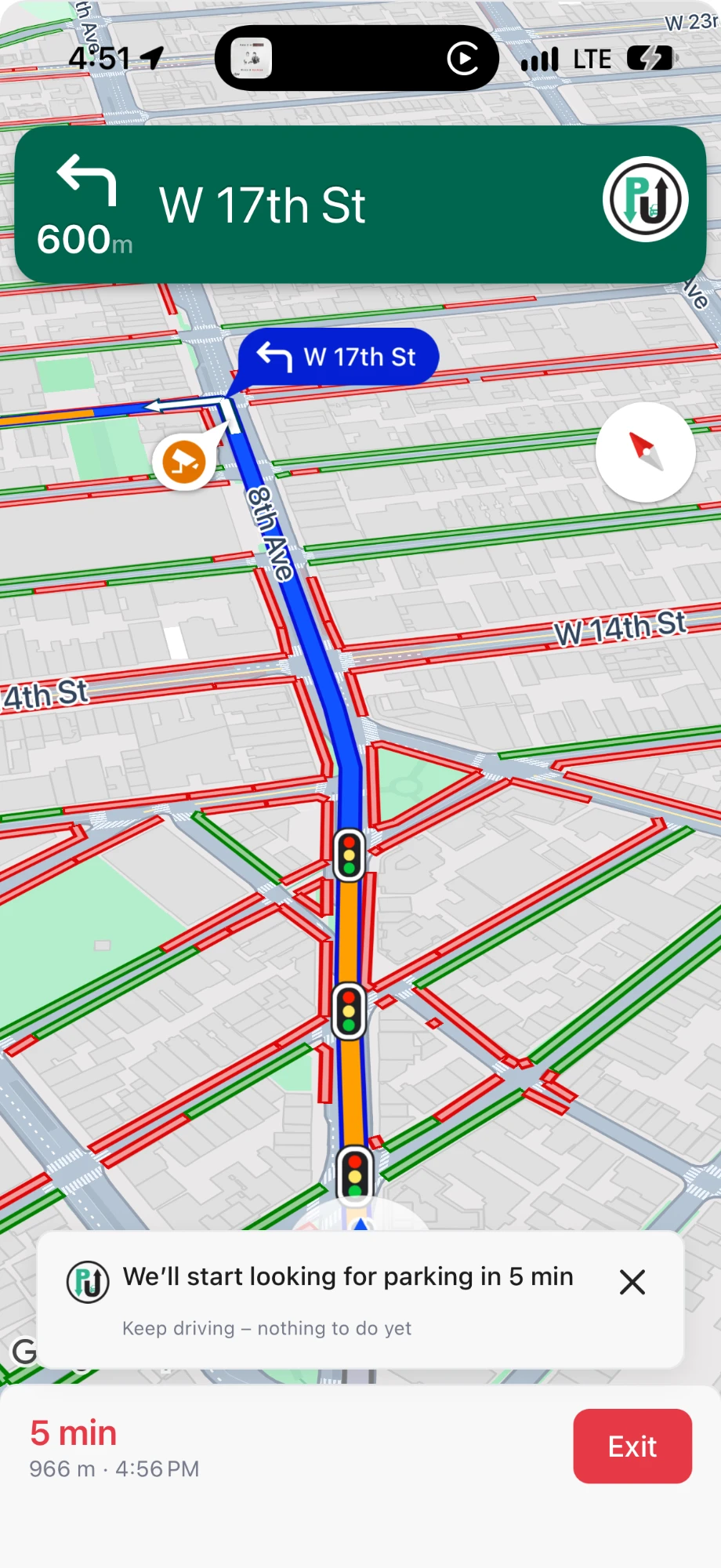
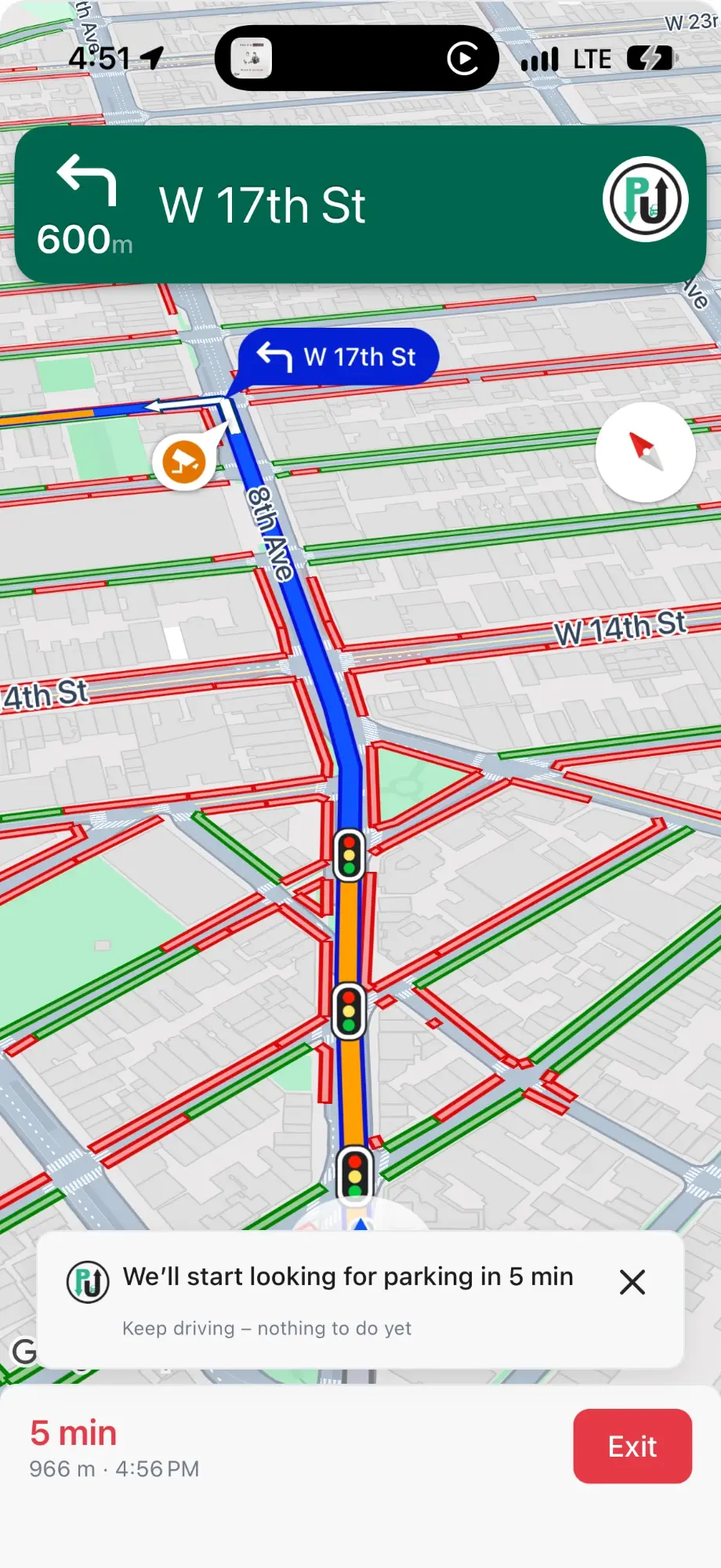
We’ll start looking for parking in 5 min
Keep driving. Nothing to do yet.
ParkUsher map: green streets show where parking is allowed, red streets show where it is not
The new ParkUsher

Your parking assistant for the whole trip.

ParkUsher now helps before you leave, while you drive, and when you arrive.
1
Before you leave
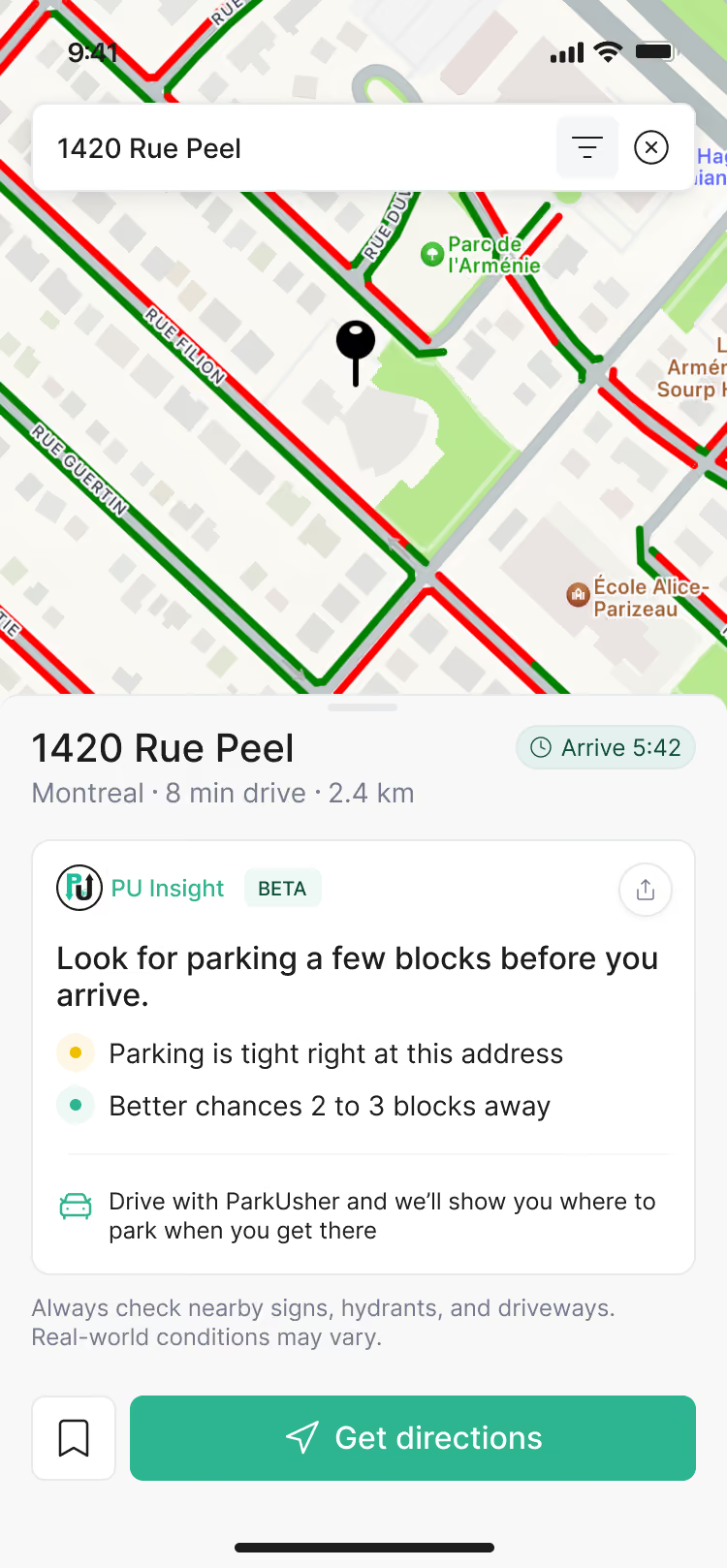
PU Insight
Look for parking a few blocks before you arrive.
Parking is tight right at this address

Know if parking will be easy.

Search where you’re going. PU Insight tells you what parking is usually like there and how much time to add.
PU Insight
2
While you drive
We’ll start looking for parking in 5 min
Keep driving. Nothing to do yet.

Drive there with ParkUsher.

Turn-by-turn directions on your phone or your car’s screen. We’ll tell you when to start looking for parking.

Navigation
Apple CarPlay
Android Auto
3
When you arrive
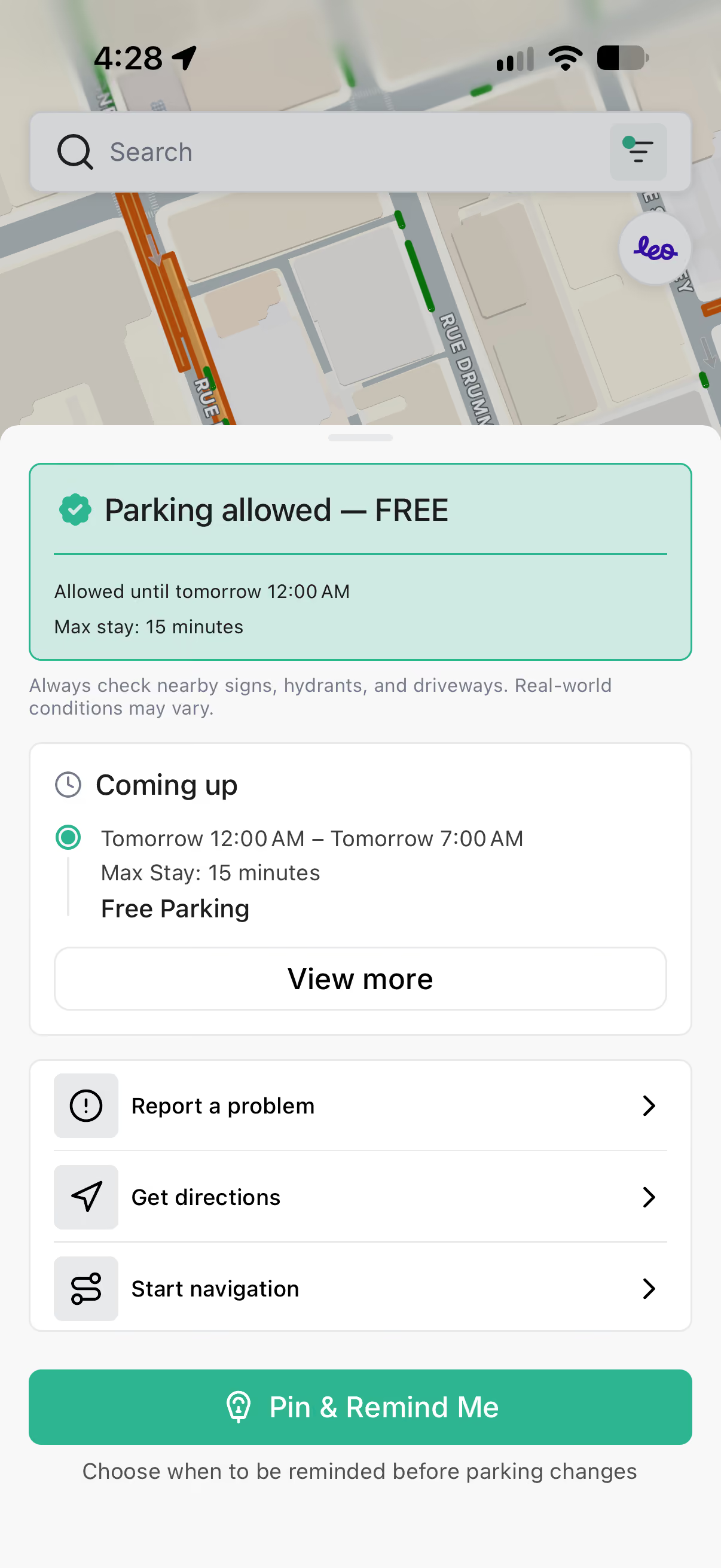
Green: you can park here
Red: you can’t

Park where the street is green.

The map shows where you can park right now. Not sure about a sign? Scan it and get a yes or no.

Parking map
Sign scanner
NEW
PU Insight
BETA

Reaching the address isn’t the same as being parked.

Your GPS tells you when you’ll reach the address. PU Insight shows how long parking may take, so you can leave on time.

Example: job interview at 9:30
Drive · 25 min
+10 min
8:55
Leave
9:20
Reach the address
9:30
Parked

Your GPS says you’ll be there at 9:20. Finding parking takes the 10 minutes you thought you had.
What PU Insight tells you before you go
Available
Tight
Busy
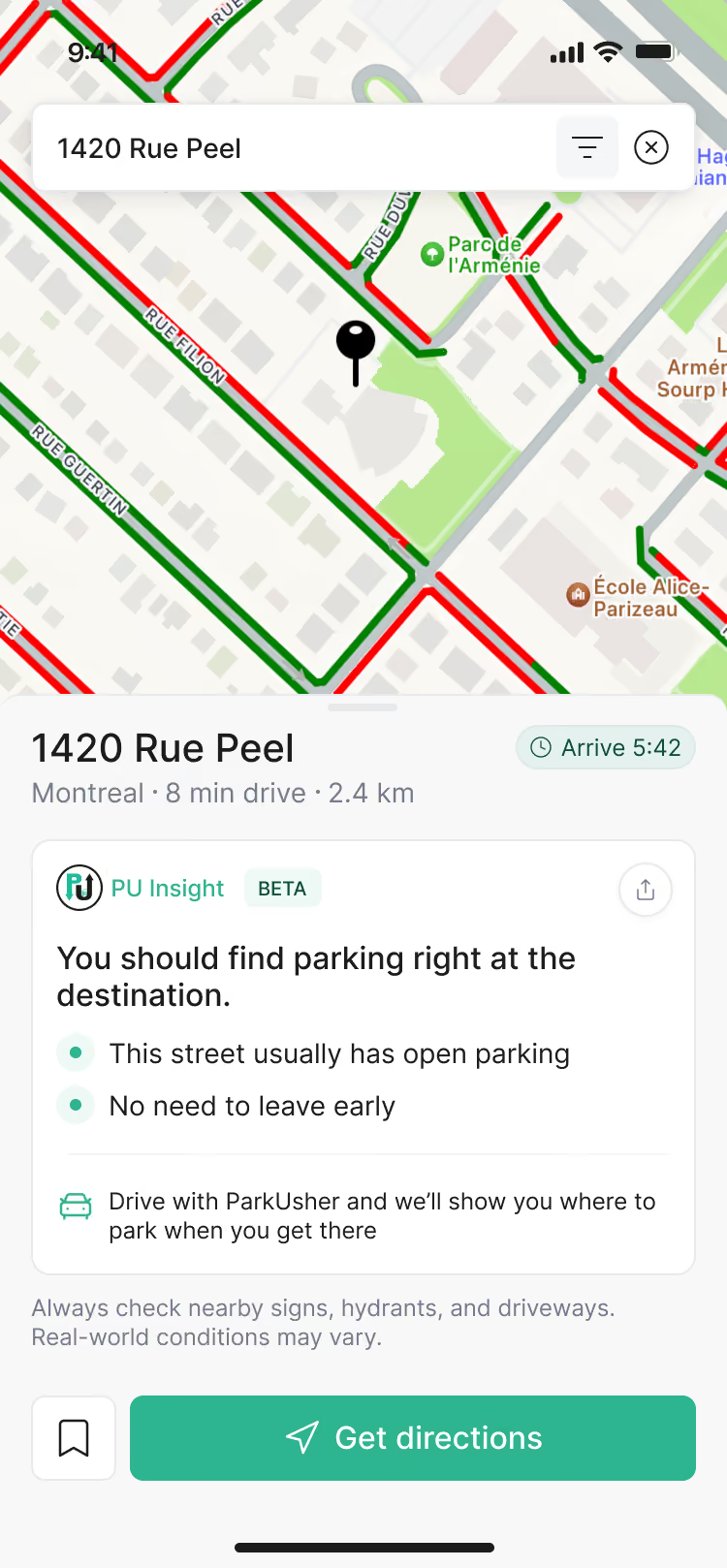
You should find parking right at the destination.
This street usually has open parking
No need to leave early
Look for parking a few blocks before you arrive.
Parking is tight right at this address
Better chances 2 to 3 blocks away
Parking is hard here. Add 10 minutes.
Busy area, but drivers still find parking
We’ll guide you as you get closer

PU Insight helps you plan. It can’t guarantee an open spot.
NEW
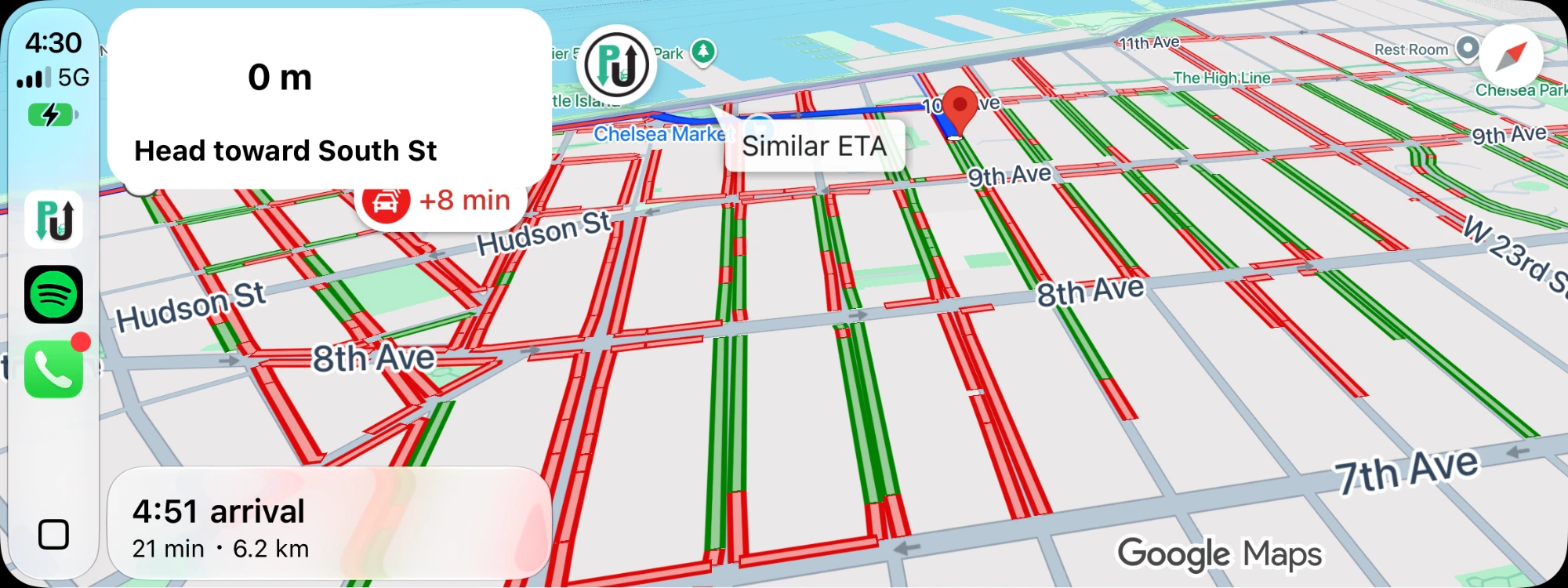
ParkUsher Navigation

Search, drive, and park in one app.

No more switching apps right when parking gets stressful. ParkUsher guides you to the address, then shows where you can park as you arrive.

  • A heads-up before you arrive
    We’ll tell you when to start looking. Nothing to tap.
  • Parking lines on your route
    Green and red streets appear as you get close.
  • On your car’s screen
    Works with Apple CarPlay and Android Auto.
The same trip on Apple CarPlay and iPhone, with parking lines as you get close.
NEW
Delivery Mode

Drive for work? Stop in the right place.

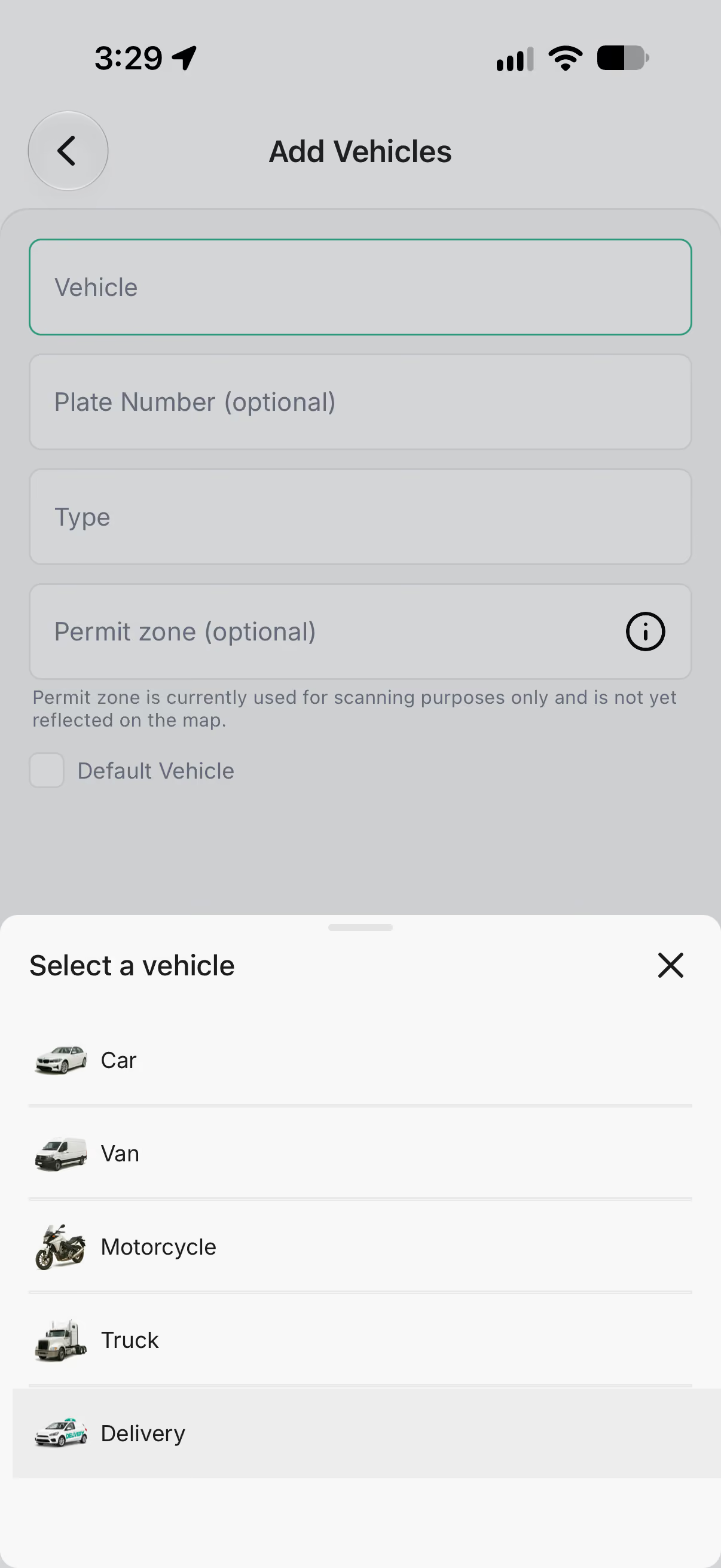
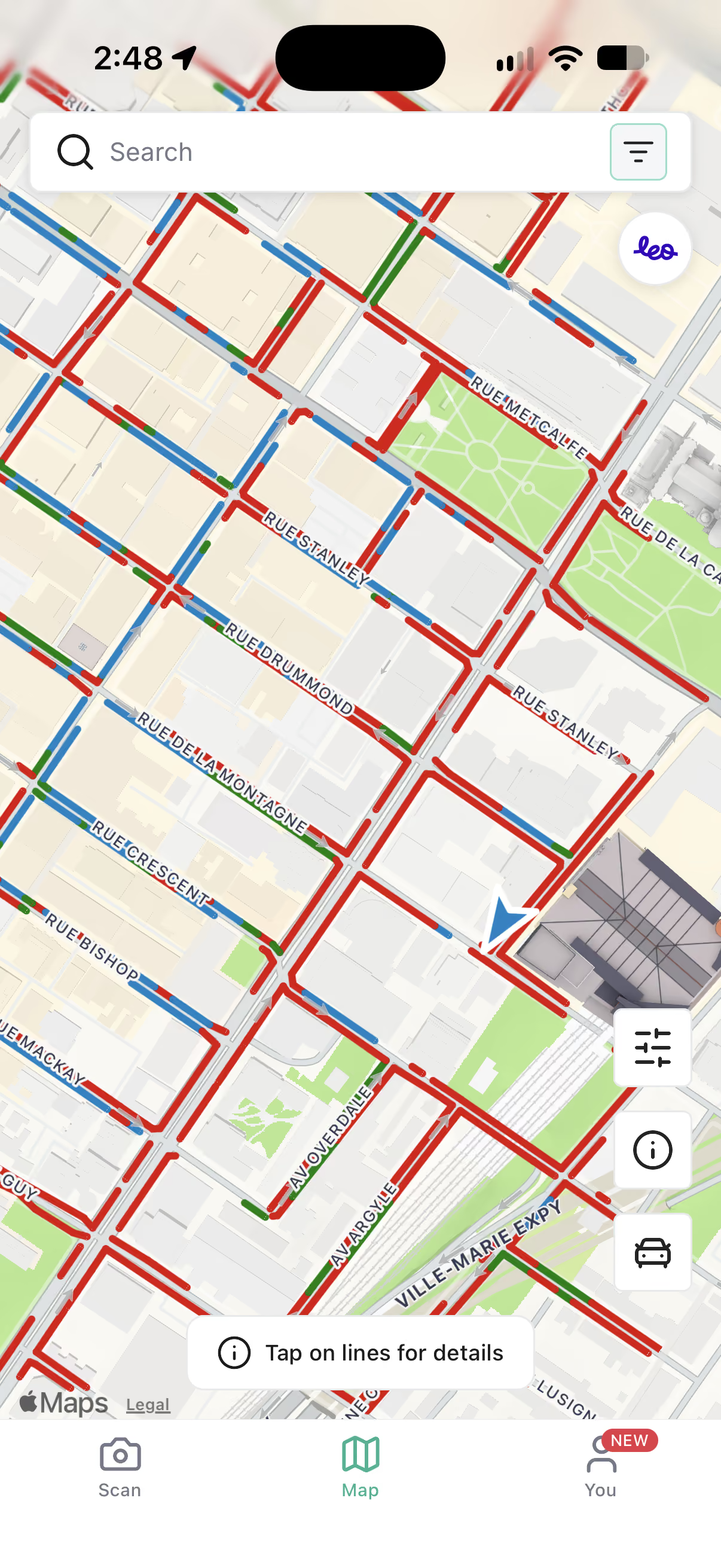
Turn on Delivery Mode and the map shows where you can legally stop on the job. Less circling, fewer tickets, no double parking.
The map highlights
Loading zones
Pickup & drop-off
Short-term parking
Construction & closures
Events & temporary rules
Live in Montréal. Testing in Seattle and Toronto.
1
Choose Delivery as your vehicle
2
The map shows where you can stop
3
Tap a street for the details
Where ParkUsher started

Green means park. Red means don’t.

Our street parking map turns confusing signs into simple colors. Open it on any street and know where you can park in seconds.
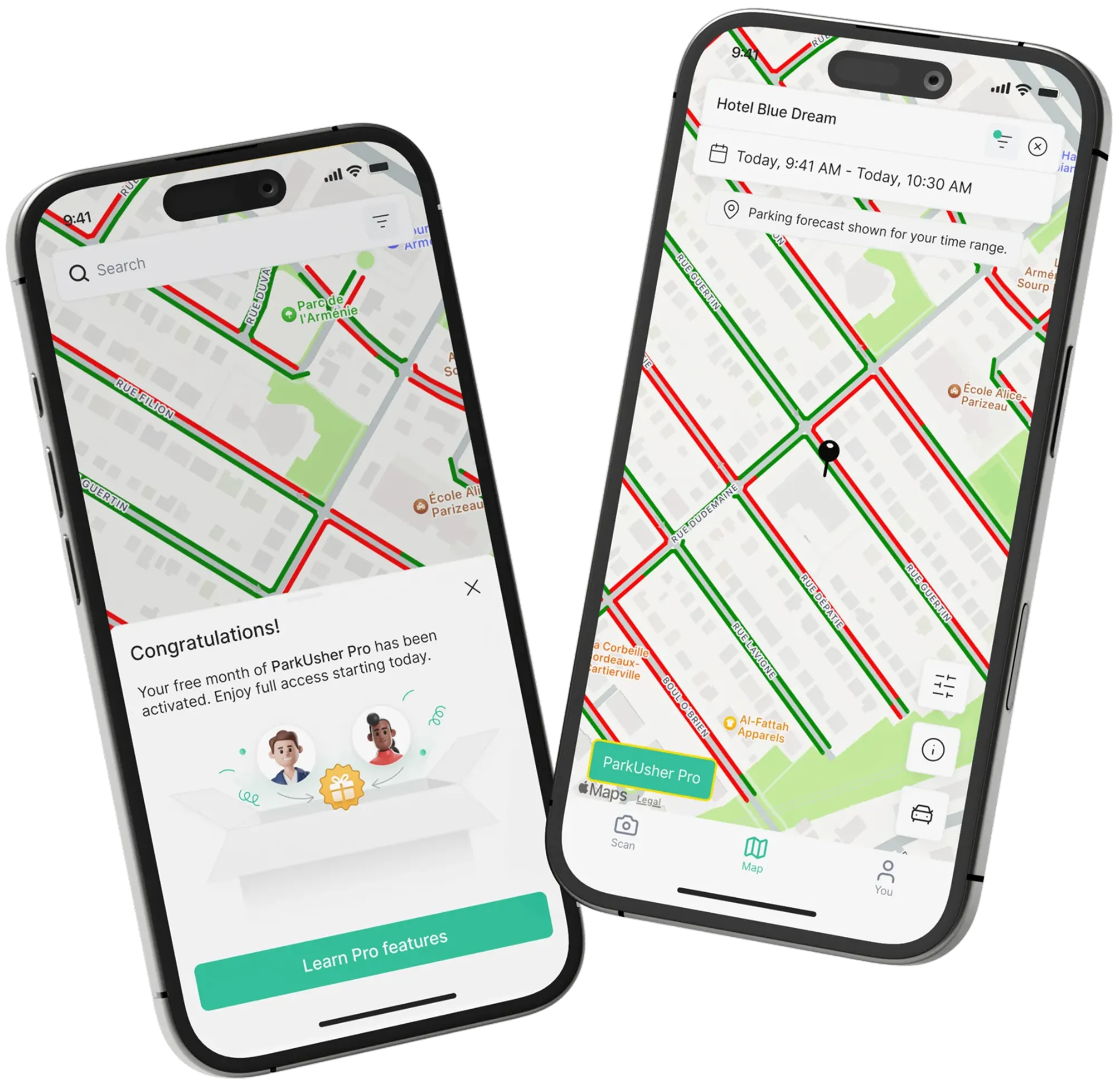
Live parking rules
Time limits, permits, and street cleaning, all on one map.
Scan any sign, free
Point your camera at a sign and get a simple yes or no. Unlimited.
Timer alerts
Get a reminder before your time runs out.
Plan ahead with Pro
See how the rules change later today or this weekend.
Live in 7 cities
New York
Montréal
Seattle
Toronto
San Francisco
Boston
Vancouver
ParkUsher
Arrive Differently.
October 14 · 1 p.m. ET
Live on parkusher.app
REPLAY
Watch the replay
October 14 keynote

See everything we announced.

PU Insight, ParkUsher Navigation, Apple CarPlay and Android Auto, and Delivery Mode, shown by the founders who built them.

Watch the keynote

Why drivers love ParkUsher

★★★★★
4.9/5
550+ reviews
★★★★★
“Travelled to New York for the holidays and this app was a total life saver. The premium is so worth it for the city parking map.”
App Store review
★★★★★
“It’s quick, reliable, and super simple to use. No more wasting time driving around in circles. I can just open the app and find a spot.”
App Store review
★★★★★
“Montréal parking signs are so confusing. This really helps clear things up and clearly tells me where I can and can’t park.”
App Store review

Questions, answered

What does ParkUsher do?

ParkUsher is a parking assistant for drivers. Before you leave, PU Insight tells you what parking is usually like at your destination. On the way, ParkUsher Navigation guides you there. When you arrive, the map shows where you can park: green lines mean yes, red lines mean no.

What is PU Insight?

PU Insight looks at parking rules, time limits, and what drivers experienced near your destination at similar times. It turns that into one simple tip, like “Look for parking a few blocks before you arrive,” and tells you if you should add time to your trip.

Does ParkUsher work with Apple CarPlay and Android Auto?

Yes. Start a trip in ParkUsher and your route and parking information show up on your car’s screen.

Does ParkUsher guarantee a parking spot?

No. ParkUsher shows where parking is allowed and what parking is usually like, so you know what to expect. It can’t reserve a spot or promise one will be open.

What is Delivery Mode?

Delivery Mode is for people who drive for work. It highlights loading zones, pickup and drop-off areas, short-term parking, and closures that could affect your stop.

Which cities does ParkUsher cover?

New York, Montréal, Seattle, Toronto, San Francisco, Boston, and Vancouver. Some new features roll out city by city.

Is the sign scanner free?

Yes. Scanning parking signs is free and unlimited.

Still have questions? Get in touch

Know where to park before you go.

Free on iPhone and Android, in 7 cities.
Download on the App StoreGet it on Google Play
Parkusher logo

Your Journey Starts with Us

Because finding a spot should be the easiest part of your day.

google play white icon
instagram icontiktok iconyoutube icon
HomeAboutBlogContactAccessible Parking Map
Vancouver
Toronto
Seattle
San Francisco
Montréal
Boston
New York
© Parkusher All rights reserved.
Privacy PolicyTerms of Service